What is OptiScaler? It is an open-source proxy wrapper library and optiscaler mod that translates upscaling and frame generation APIs at the rendering level. By intercepting default DLSS, XeSS, or FSR calls from the game engine, the optiscaler client converts them to your preferred target upscaler backend at execution. This allows AMD Radeon, Intel Arc, and legacy GeForce users to bypass hardware locks and run advanced upscaling and frame pacing configurations without developer-side integration.
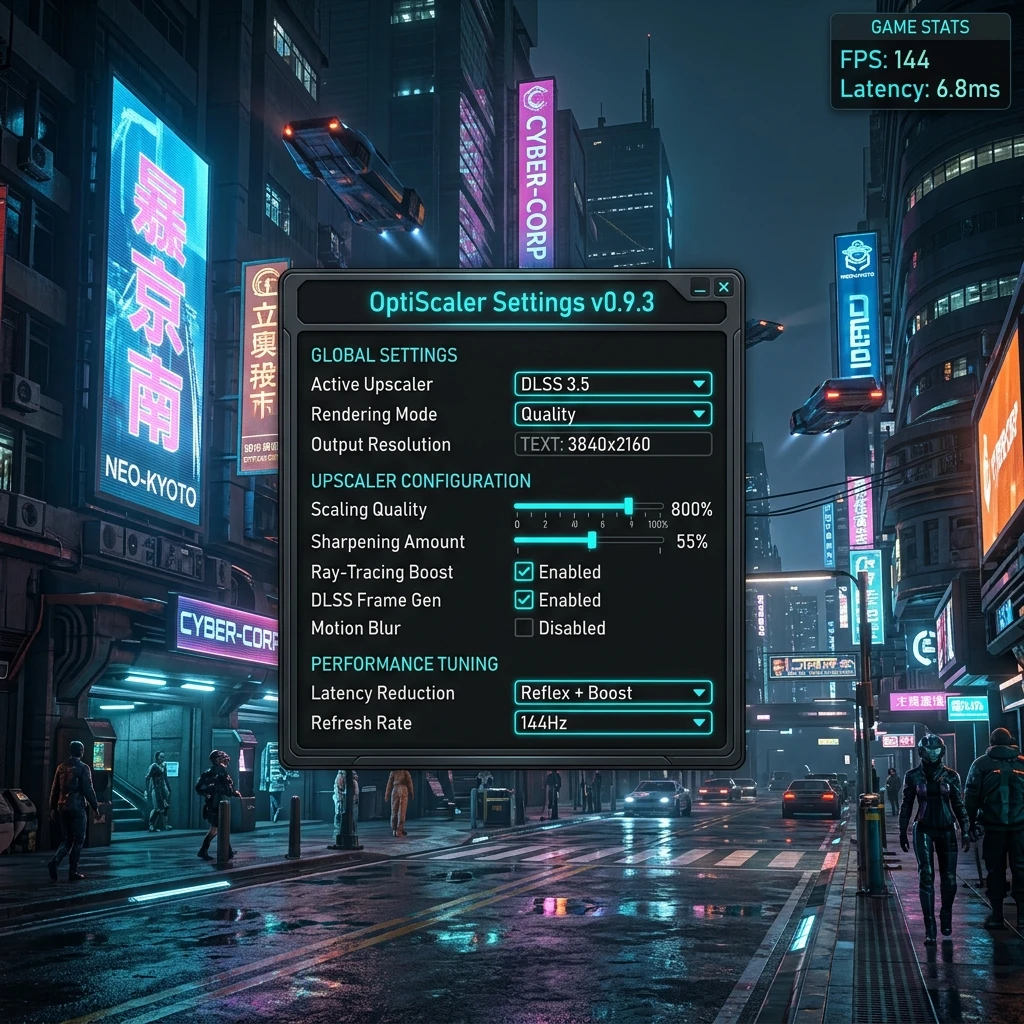
OptiScaler implements rendering-level APIs to translate parameters, bypass limits, and double frame rates.
Translates game-level DLSS, FSR, or XeSS input calls to any output upscaling backend, bypassing sponsored upscaler locks.
Bypasses NVIDIA hardware locks by spoofing NVAPI layer structures. Exposes restricted menu items, enabling NVIDIA Reflex and upscaling options.
Translates temporal inputs into modern machine-learning-driven FSR 4 upscaling models, improving thin-line reconstructions.
Injects experimental Frame Generation into DirectX 12 games that do not natively support frame interpolation techniques.
Swaps DLSS Frame Generation with AMD FSR 3 Frame Generation. Integrates natively to yield clean user-interface pacing.
Patches boot memory instructions in RAM to bypass hardware checks directly, avoiding DXGI-level mismatch crashes.
Applies Contrast Adaptive Sharpening targeted only at structural edge contours, keeping flat sky or grass layers noise-free.
Decouples upscaled resolution targets from monitor backbuffers, allowing manual scale shifts from 0.5x up to 3.0x.
Check hardware architectures, APIs, and scaling SDKs validated by the community.
OptiScaler translates game-side upscaler calls to these community-validated backends:
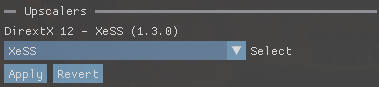
Validated graphic card architectures and translation paths:
System level wrappers and platform compatibility details:
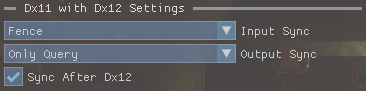
Deep dive into wrapper dynamics, device spoofing, and frame pacing loops.
OptiScaler functions as a dynamic proxy wrapper next to your game executable. By taking the filename of a high-priority system library (like dxgi.dll or d3d12.dll), the game's loader loads OptiScaler instead of the system file.
Using the Microsoft Detours hooking engine, OptiScaler intercepts the dynamic functions that initialize upscalers. It extracts raw temporal parameters, including the Color Buffer, Depth Buffer, camera Jitter Offsets, Motion Vectors, and Exposure Values. It normalizes them into standard linear variables before passing them to the target SDK compute pipelines.
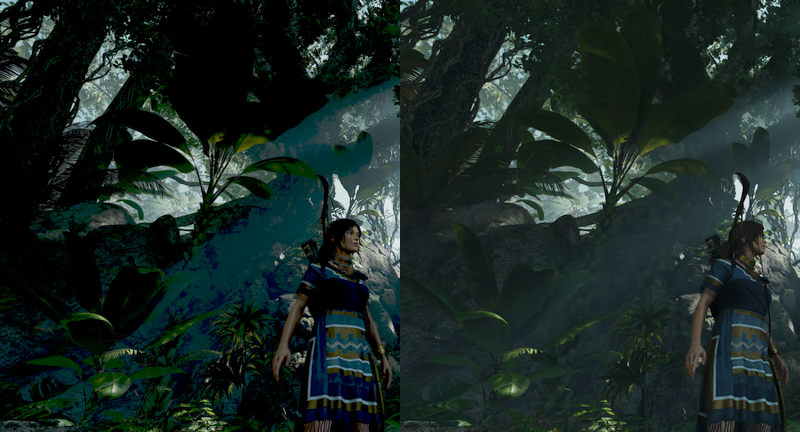
Determine if you need standard DXGI spoofing or memory-level OptiPatcher patching.
Step 1: Is this game an online multiplayer title featuring active anti-cheat?
Warning: Kernel-level anti-cheats flag wrapper DLLs as cheat injections.
Does this specific title enforce online matchmaking or client integrity checks?
Step 2: Is the title built on Unreal Engine 5, or do you experience crashes with dxgi.dll?
Step 3: Do you see "D3D12 device not found" errors or GPU mismatch crashes on startup?
Do not load OptiScaler. DLL wrapper mods will trigger bans. Run the game natively.
Configure Dxgi=false in your INI settings and enable LoadAsiPlugins=true. This patches the checks directly in RAM, bypassing device failures.
Use standard dxgi.dll wrapper spoofing (Dxgi=true). This exposes DLSS options out-of-the-box for most games.
Learn how to install OptiScaler and how to use OptiScaler in your game directory in four simple steps.
Download the latest stable or nightly rolling package from verified release channels. Choose the D3D12_Optiscaler package if you run on Windows 10 to support FSR 4 features.
Extract the files next to the main game executable file.
Note: For Unreal Engine, drop files into the binary folder: <GameRoot>/Binaries/Win64/.
Windows: Right-click Setup.bat and run as Administrator, or manually rename OptiScaler.dll to dxgi.dll or d3d12.dll.
OptiScaler Linux & Steam Deck: Set launch options parameter: WINEDLLOVERRIDES="dxgi=n,b;winmm=n,b;version=n,b" %command% to bypass Proton system DLL mappings.
Launch the game. Press the INSERT key during play to trigger the ImGui overlay window and configure active upscalers on the fly.
Dropping wrappers in the parent game directory instead of the specific shipping subdirectory carrying the true game executable.
Forgetting to declare the DLL override parameters on Steam OS/Steam Deck properties, which causes the OS to load system defaults.
Attempting to boot FSR 4 outputs on older RDNA2 or NVIDIA GPUs without manually copying the unbundled FSR 4 INT8 DLLs next to the executable.
Search the community compatibility logs of over 670 games verified to run with OptiScaler.
| Game Title | Status | In-Game Menu Option | OptiPatcher | Workarounds & Technical Notes |
|---|
Obtain verified OptiScaler binaries directly from official release channels. Avoid third-party websites.
The primary translation library wrapper (dxgi.dll / d3d12.dll). Intercepts DLSS/XeSS/FSR calls and translates them to FSR 4, XeSS, or customized DLSS backends.
The memory patching utility module. Patches boot variables and hardware checks directly in RAM to prevent game-engine boot crashes on non-NVIDIA GPUs.
Agustinm28's open-source desktop manager tool. Automates installer routines, updates wrapper files, and manages game settings injections.
Join the official Discord server to get early nightly development builds, CDN announcements, and custom game configs from the maintainers.
Troubleshoot startup issues or explore detailed technical mechanics below.
INSERT key on your keyboard to toggle the OptiScaler Dear ImGui configuration overlay menu. From there, you can configure active upscalers, adjust sharpening levels, and toggle overrides on the fly.
Dxgi=false in your config and load OptiScaler as an ASI plugin using OptiPatcher to bypass these checks in memory.
Submit bug logs, join developer chats, or support the open-source team.
Help developers resolve crashes by filing complete log details:
LogLevel=0 inside your OptiScaler.ini file before launching.optiscaler.log after reproducing the crash.Discuss settings, share configuration logs, and participate in channels:
/r/radeon and /r/SteamDeck.OptiScaler is completely free and open-source. Support Nitec and the developer team through their official funding channels:
Bypass hardware lock restrictions and run advanced upscaling backends today.